Where she lives
On the Mac
Her whole house sits in the sidebar on the Tasks and Calendar pages. The menu bar panel shows a slim slice of the room she is in.
On the iPhone
A slim slice of the room she is in is the edge of the card at the top of Tasks. When that scrolls away, a small circle of her hangs under the status bar, or of the empty room while she is out.
The Loafy and Today, with Loafy widgets show the room she is in on your Home Screen.
Her house
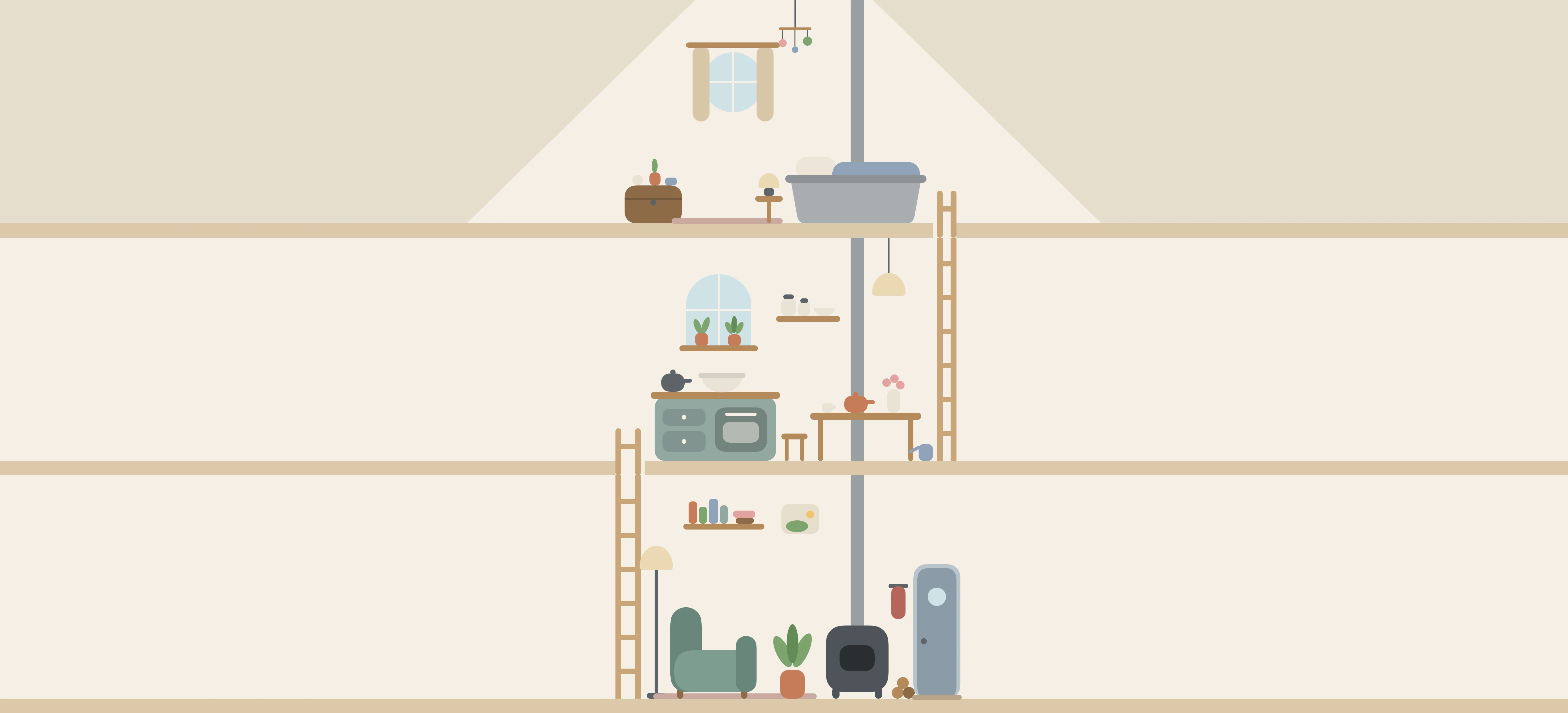
There are three floors, with ladders between them:
- The bedroom at the top, with her bed.
- The kitchen in the middle, with a table, a kettle and herbs on the windowsill.
- The living room at the bottom, with an armchair, a wood stove and a plant.
Nothing in the house is a button. There is no clock in it and no numbers.
Her day
She gets up, has tea and waters the herbs. After lunch she naps in the mixing bowl. In the afternoon she tends the plant and feeds the stove. In the evening she reads in the armchair, has supper at the kitchen table, then goes back to her book and up to bed. At weekends she bakes.
In between she does small things for a while, like looking out of a window or dozing in the armchair. You won't often see her get there. You look back and she has moved.
Most days she goes out for a while, and the house is empty until she gets back. She sometimes comes home with something: flowers, a book for the shelf, or a keepsake for the bedroom. Each one replaces the last, or fades, so the house never fills up.
Her day follows the start and end of day you set in Settings, so she keeps roughly your hours. That is the only thing about you she goes by. It runs the same on a packed day as on a free one, and whether or not you looked.
The light
The house has its own light: morning, day, dusk, evening and night. It follows her day, not your Mac's or iPhone's light or dark appearance. After dark, the room she is in has its lamp on, so the house is never dark.
When she moves
The house stays still most of the time. While Matter is in front, she may blink, or give a small bob when you come back to her.
On the Mac, you may also catch her moving between rooms, or getting up to potter about on her floor. Steam rises, flour puffs while she bakes, and she breathes while she sleeps.
When Matter isn't in front, or with Reduce Motion on, she stays still. The widgets and the small circle don't move at all.
What she doesn't do
She isn't connected to your tasks. Nothing you do or don't do changes her, and nothing in the house acts on your work. There are no streaks, nothing to keep alive and nothing to lose.
Matter
To-do list that fits life
For the Mac and iPhone. It works offline, with no account.
Download for MacDownload for iPhone