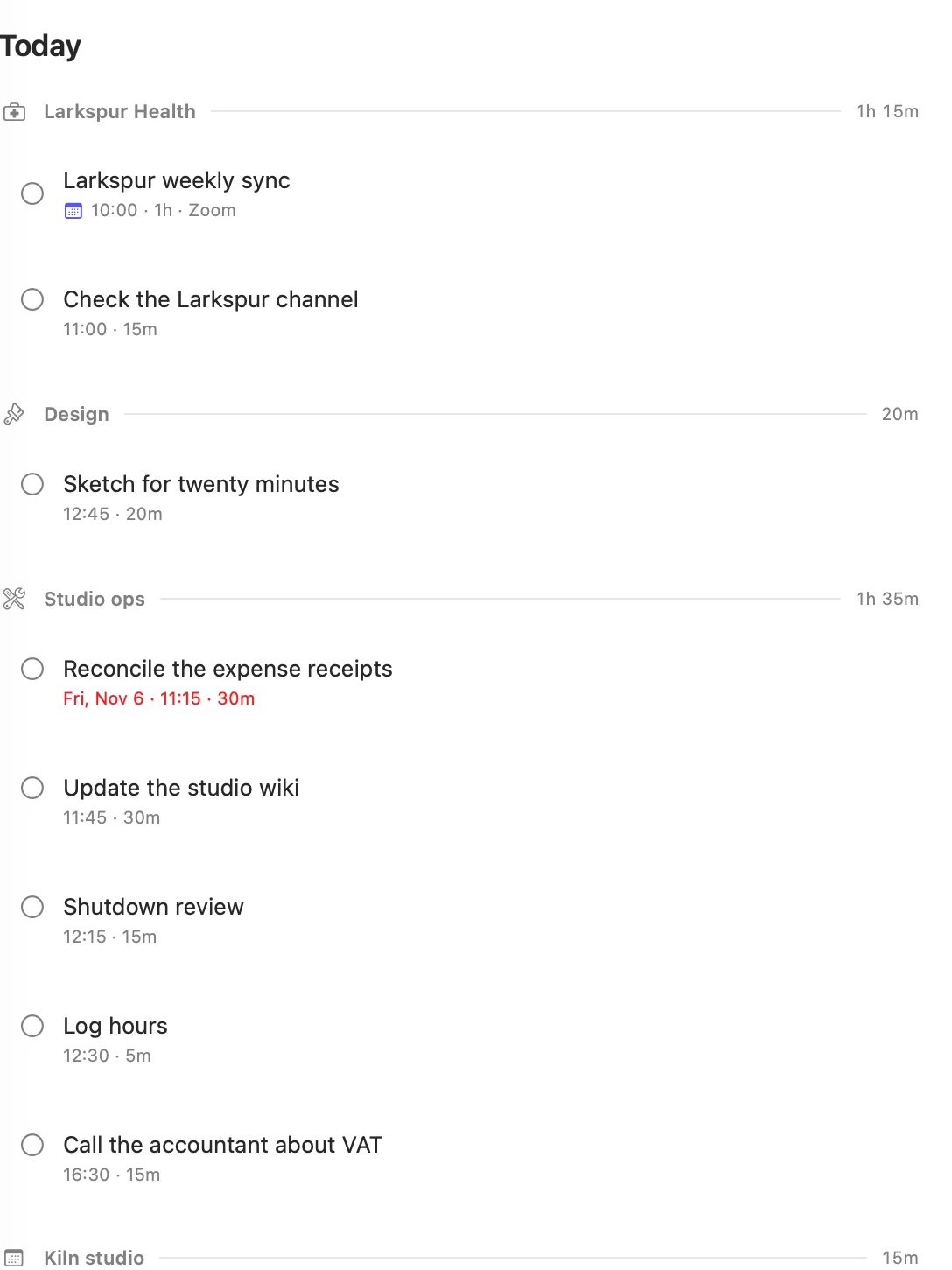
Placed or pinned
- Placed. A task you leave without a time. Matter chooses the time, the board shows it, and Matter can move it later.
- Pinned. A task you gave a time in its editor. Matter never moves it, and plans around it. The menu says so: A time pins it: the scheduler won't move it.
To let go of a pin, open the task and pick No time. Matter then lays the day out again.
Tasks can't be dragged on the Calendar. To put one at a particular time, open it and pick the time.
Where a task goes
Matter looks for a free stretch on the quarter hour, by these rules:
- Never in the past, and only inside your day's hours.
- Never over something fixed: an event from any calendar, whether or not it counts as a task, a pinned task, or work with a session running.
- Carried over first. A task left open from an earlier day takes the earliest room.
- At its usual hour. Once a tag has at least five sessions in the last four weeks, Matter looks for room from the time you usually start that work. If that hour is full, the task goes elsewhere.
- The right stretch for its length. Longer tasks choose first. A short task takes the half hour before a meeting instead of the start of a long free stretch, which stays for long work.
- Next to its tag. Tasks with the same tag land together where they can.
- Earlier over later, so the evening stays free.
- A quarter hour of air after a task of 1h 30m or more, and after an event of 30m or more, when there is room. Air is the first thing to go on a tight day.
The room a task needs is what is left of its estimate, so time you have tracked comes off. Every task takes at least a quarter hour of the plan, even one estimated at 5m.
When the day gets laid out
- You add a task with no time. Its whole day is laid out afresh. The same happens when you take off a pin, and when a template's task is made.
- You edit a task that has a time. Nothing is rearranged, except that if a longer estimate runs into something, whatever no longer holds moves.
- Matter comes forward for the first time that day. Today is laid out afresh.
- Matter comes forward later that day. Only what has slid into the past, or is now covered by something, moves. A day doesn't rearrange itself each time you look at it.
Even when the day is laid out afresh, some things stay put: events, pinned tasks, running work and, on today, the next task if it starts within half an hour.
When you open Matter, it waits for iCloud to bring what your other device changed before it moves anything, so tasks can shift a few seconds after you open it. If it can't reach iCloud in that time, it carries on with what it has. Your own edits never wait.
Pushing a task doesn't lay out either day. The task keeps its time until its new day is next laid out.
When nothing is free
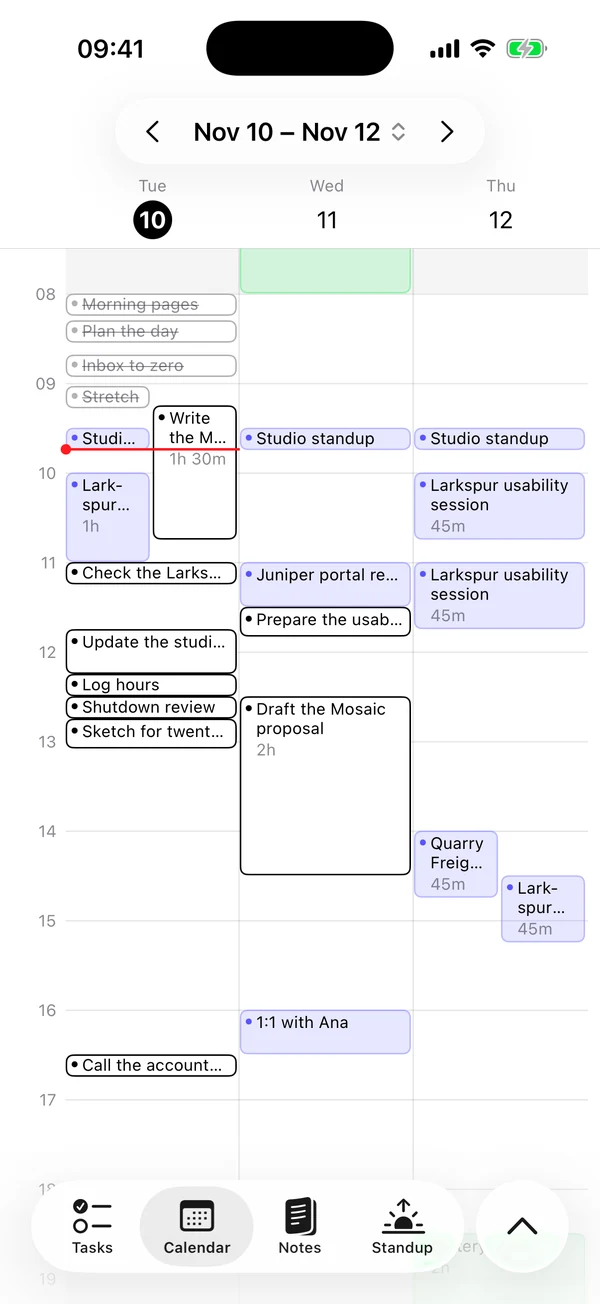
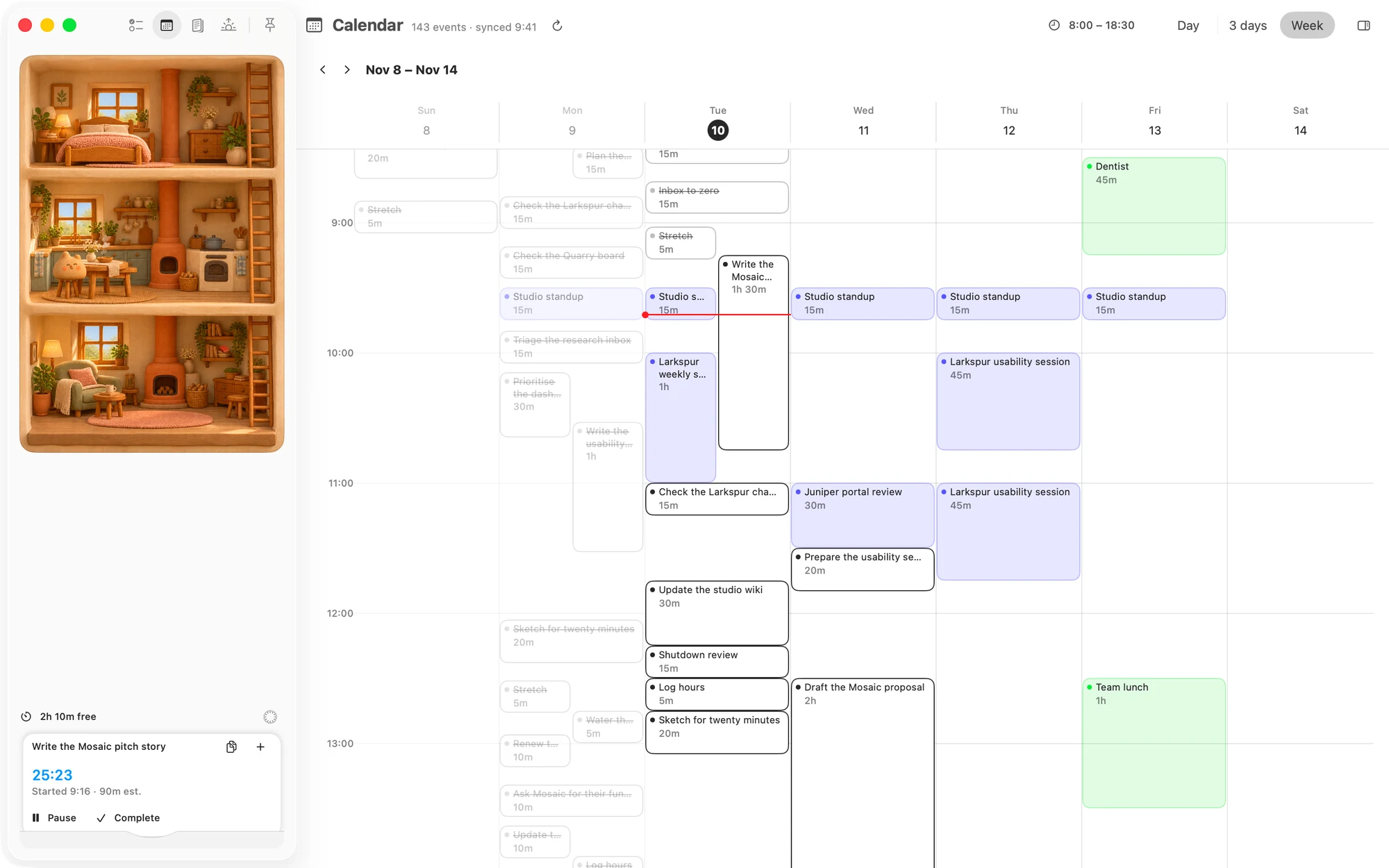
If no free stretch can hold a task, Matter first tries the day again without air, then tries other arrangements that fit everything. If there is truly no room, the task still gets a time: the earliest one from now, on top of whatever is there. You will see it overlap on the Calendar.
Once the day's hours are over, a task that still has no room goes in the last stretch before End of day, even though that time has passed.
This is separate from refusing a task, which is about how much the day holds. A day can have enough minutes free and still have no single stretch long enough.
See it on the Calendar
Calendar draws placed and pinned tasks as outlined blocks among your meetings. Click or tap one to open it.
Matter
To-do list that fits life
For the Mac and iPhone. It works offline, with no account.
Download for MacDownload for iPhone